For Deaf callers
The ClickBSL app
- Big, clear buttons and plain English, with BSL video explainers
- A camera check that frames your signing before you join
- Your place in line, then a flash and a buzz when it's your turn
In Mark 2 the caller and the interpreter share one story. Every tap on one side shows up on the other, in the same words and the same colours.
Hannah wants to book a GP appointment. Here's everything she does before an interpreter joins.
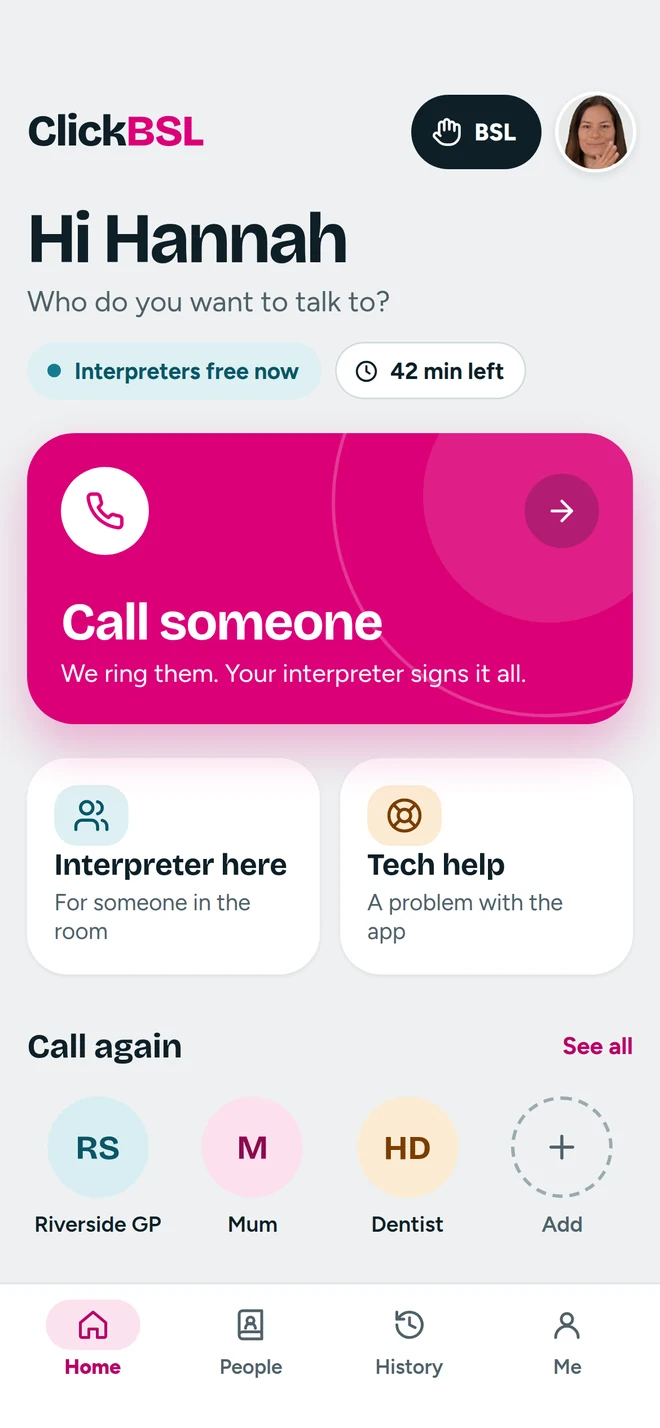
One big button to call someone. Minutes left and whether interpreters are free are always in view.
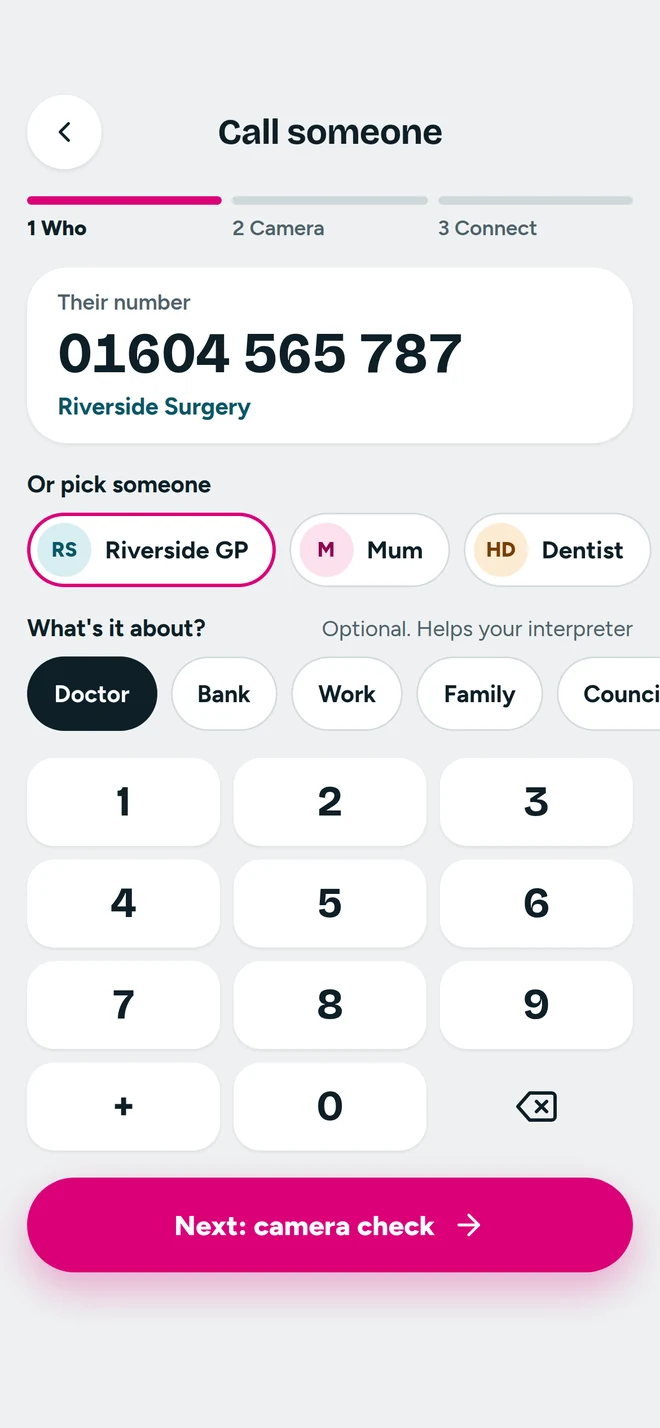
Pick a saved contact or type a number. Saying what it's about helps the interpreter prepare.
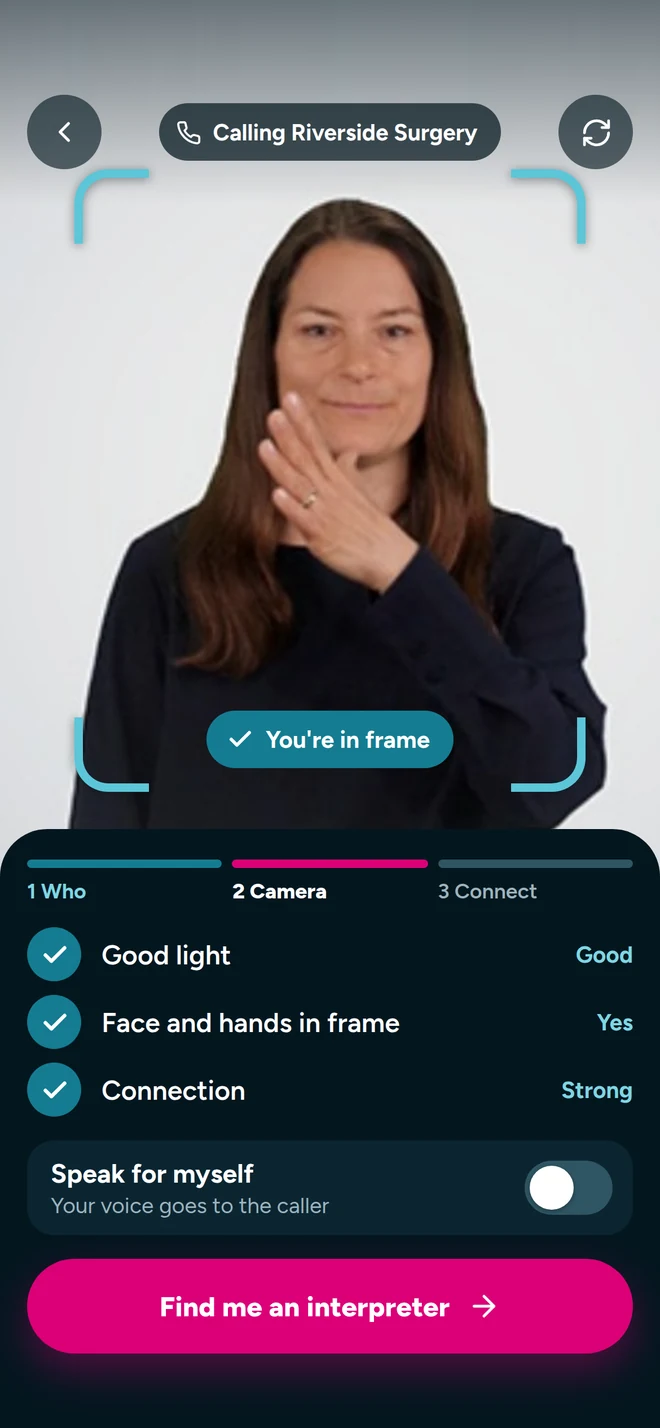
A frame shows the signing space. Light, framing and connection tick off before she joins.
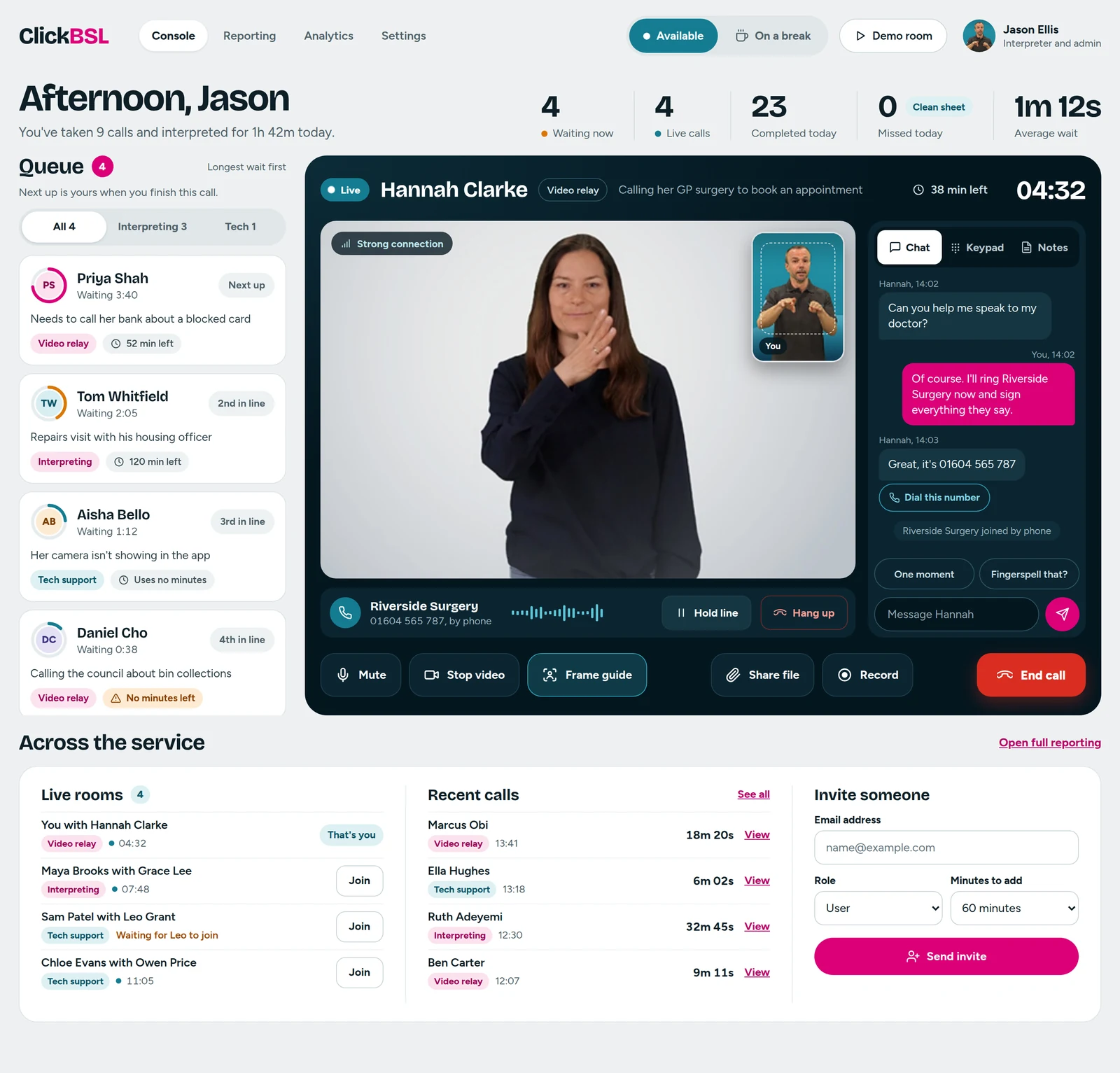
Follow Hannah's call from the queue to hanging up. On the left is her phone, on the right is Jason's console, at the same moment.
She sees exactly where she is in line and can tell her interpreter what the call is about. On the console, her card shows the same place in line, her reason for calling and her minutes, with a ring that fills as she waits.
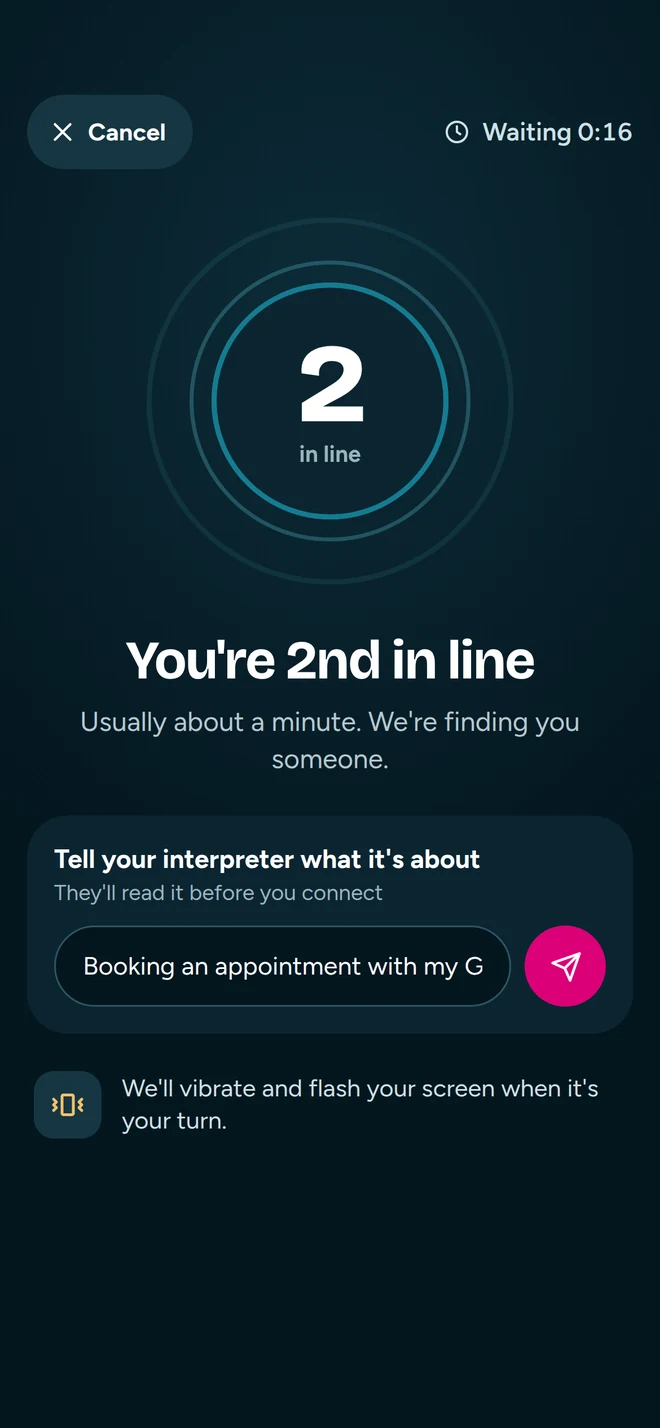
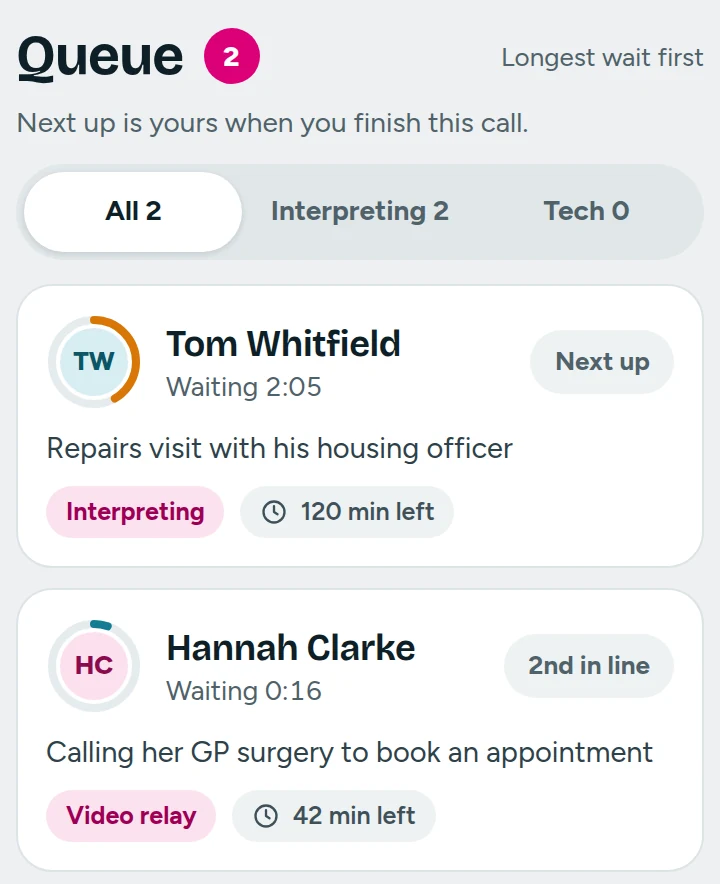
Jason is on another call, so every card shows its place in line instead of an Accept button. The same “2nd in line” Hannah sees.
When Jason is free, the console puts the next caller front and centre with one big Accept button. The moment he taps it, Hannah's screen flashes and her phone vibrates, so she never misses her turn.
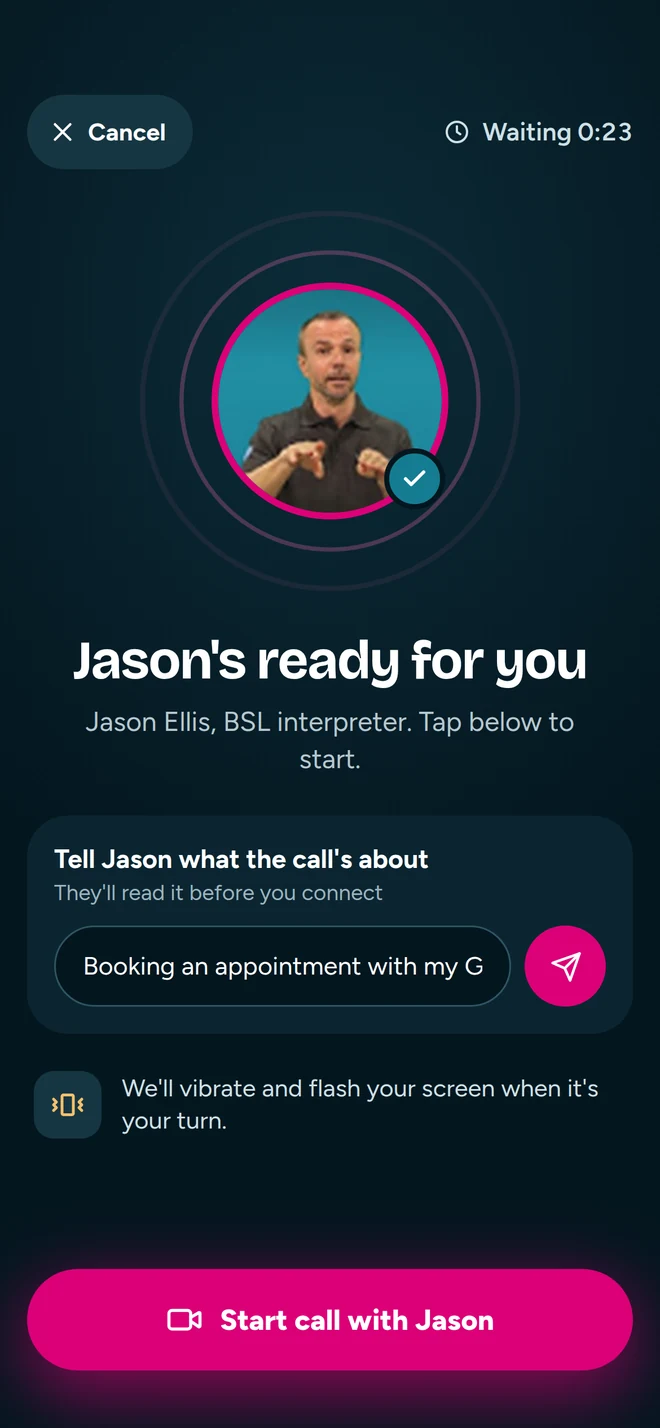
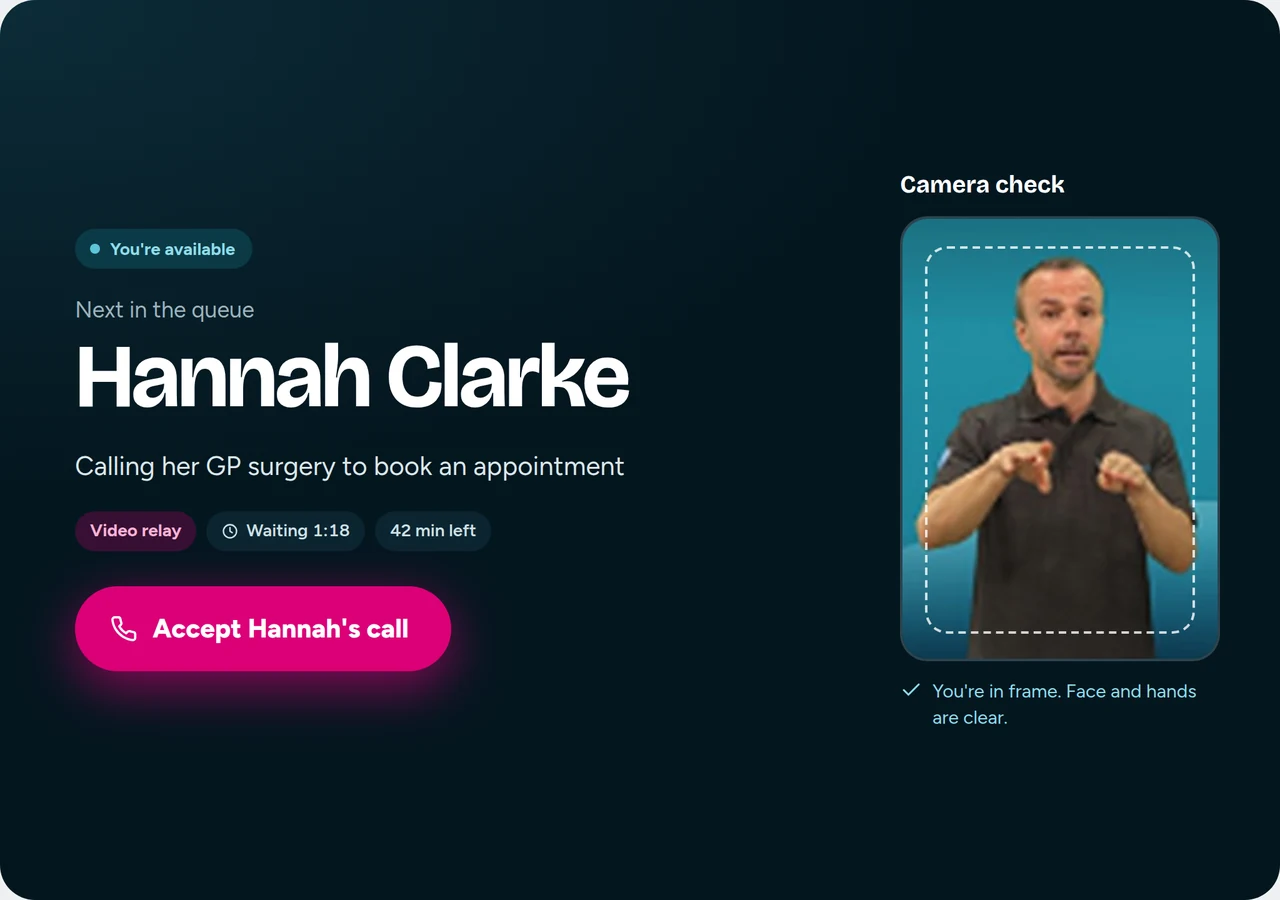
Hannah sees Jason full screen, with a live marker showing when the surgery is talking. Jason sees her signing big and clear, with the phone call, chat, keypad and notes beside it. Nothing sits on top of anyone's hands.
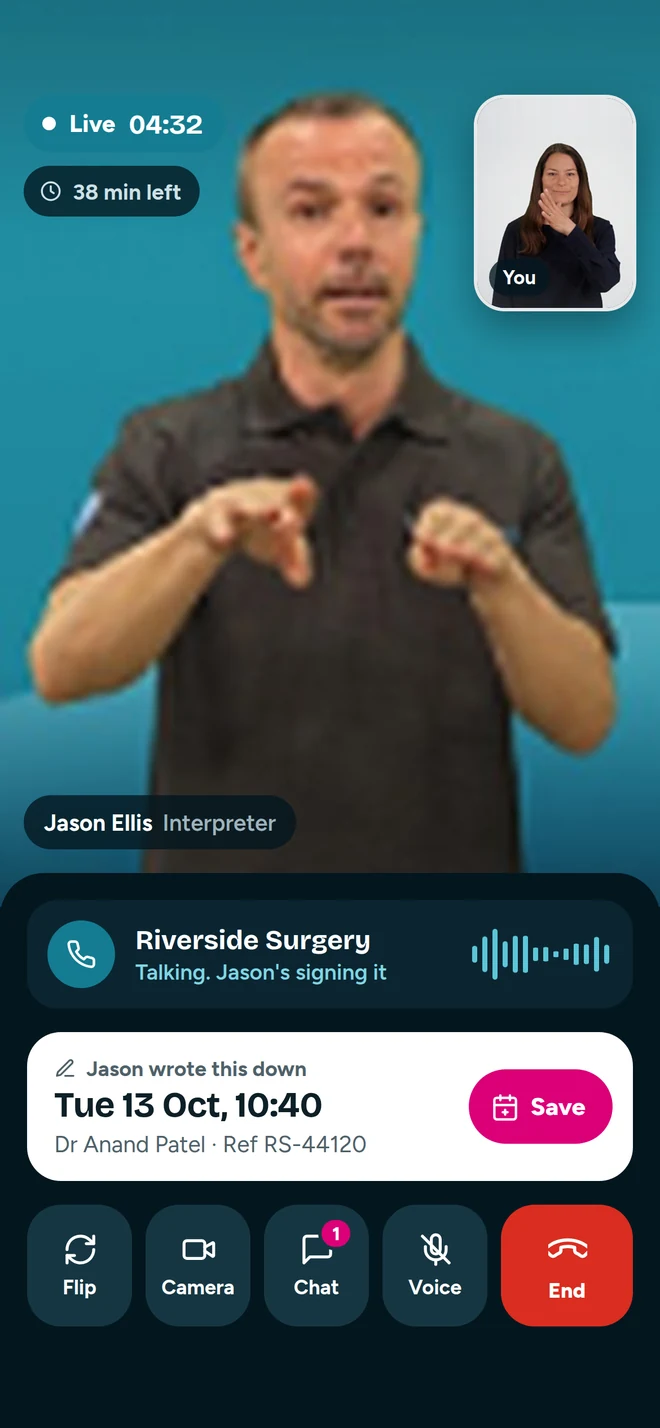
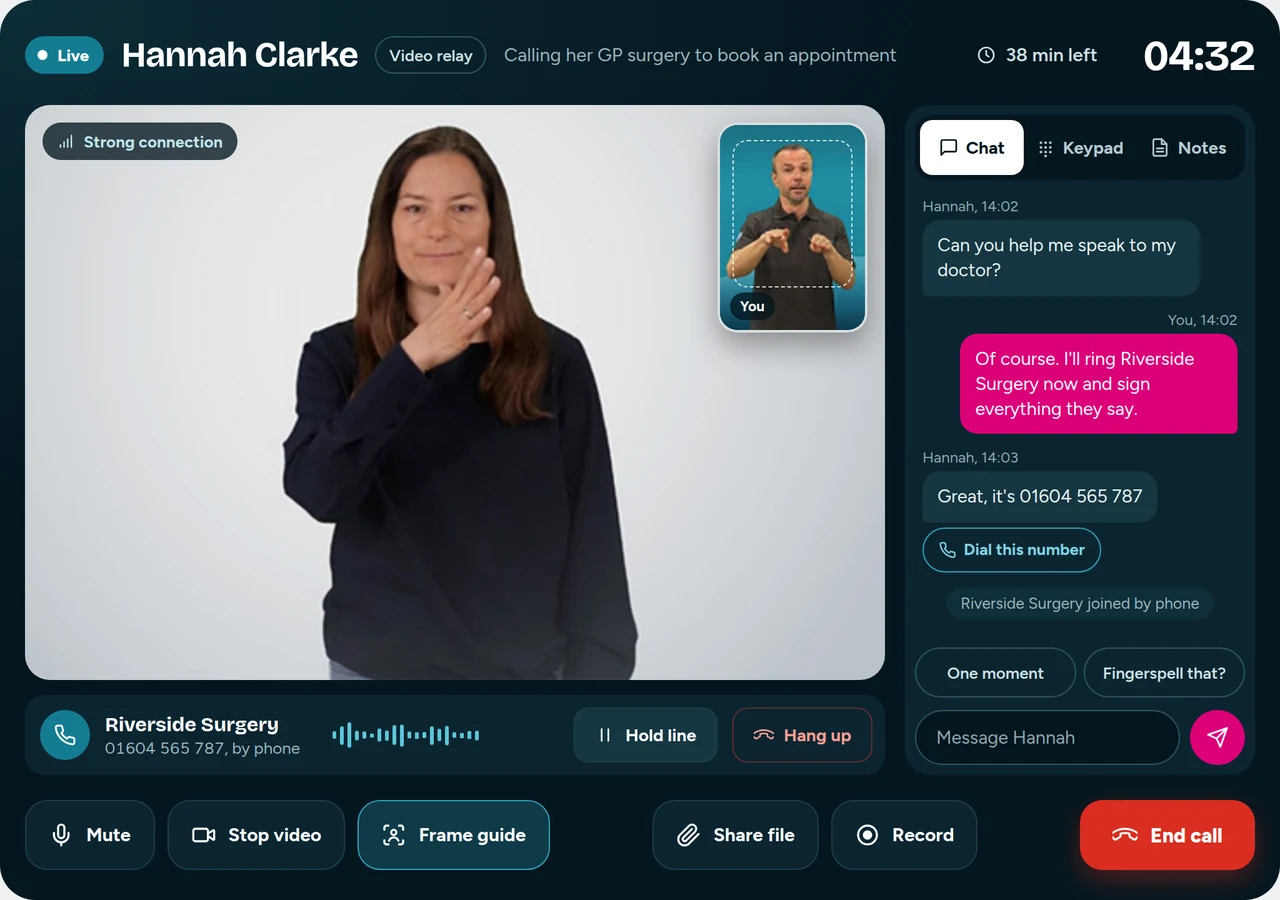
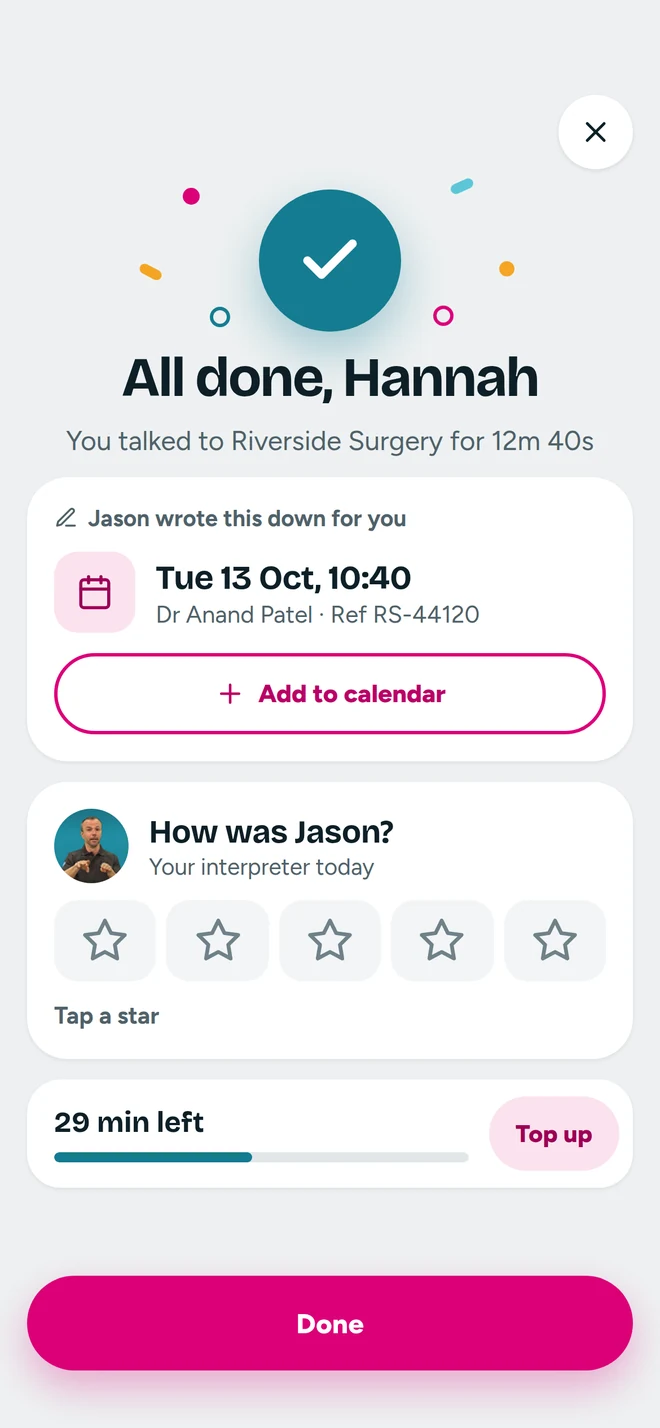
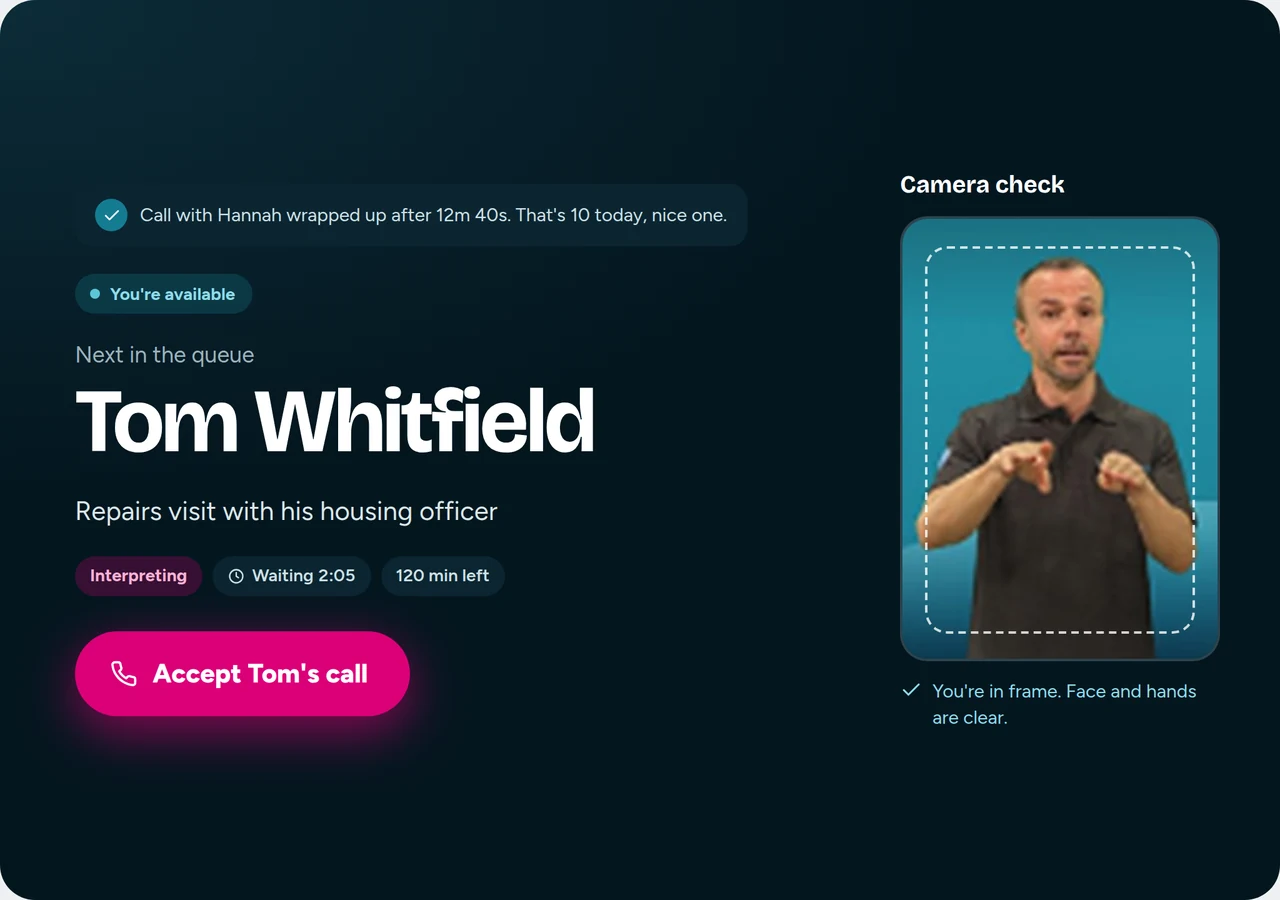
The date and reference Jason wrote down stay on Hannah's phone, ready for her calendar. She can rate the call and see her minutes. Jason gets a quick wrap-up, and the next caller is already waiting.
Signing is visual, so every decision starts with what people need to see, and what must never get in the way.
Camera checks and frame guides keep face and hands in view, on both sides of the call.
Self-views and controls sit at the edges, away from where signing happens.
A screen flash and a vibration when it's your turn, never a sound you can't hear.
Names, dates and reference numbers are typed up by the interpreter and saved for the caller.
Callers who like to use their own voice can talk to the hearing person directly.
Short BSL videos explain the app, so nobody has to rely on written English to get started.
Take a call from either side. Accept it, end it, send a message, take a break.